MyLittleShelf
Your Family's Book Buddy
Scan book covers with AI, get personalized recommendations by age, and track your family's reading journey — all in one beautiful app.
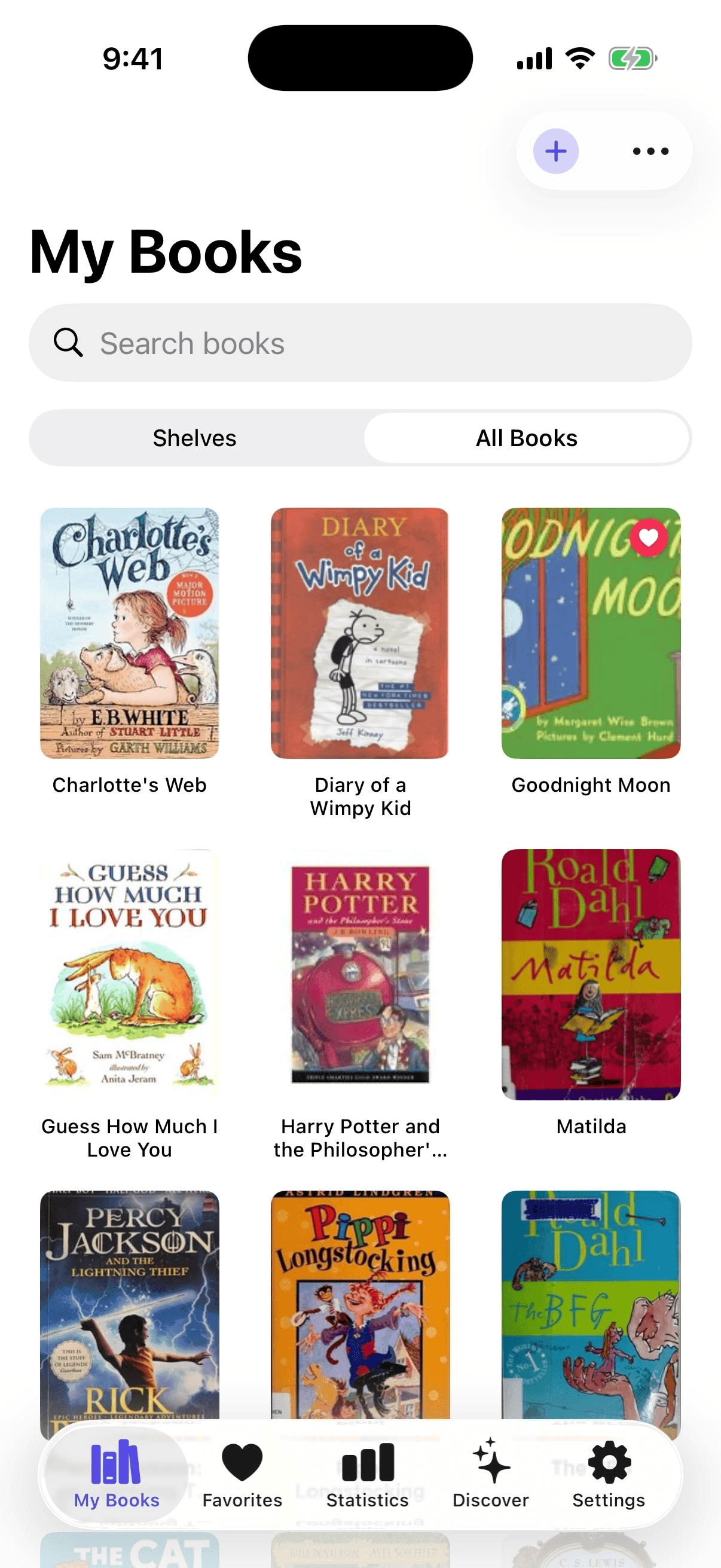
Built for Families Who Love Reading
From scanning covers to discovering new favorites, MyLittleShelf makes managing your children's library effortless.
AI Book Scanner
Point your camera at any book cover. AI identifies the title, author, age range, and educational value instantly.
Smart Recommendations
Get personalized book suggestions based on your child's age, favorites, and reading history.
Family Library
Search your whole collection in seconds. Avoid duplicates at the bookstore — your shelf goes everywhere you do.
Reading Statistics
See your collection at a glance — top genres, favorite authors, and reading patterns visualized beautifully.
Content Advisory
Every book gets an AI-generated safety rating and content advisory, so parents can make informed choices.
Bulk Scanning
Scan multiple books in one session. The AI processes them all in parallel — add your whole shelf in minutes.
Your Library,
Organized For You
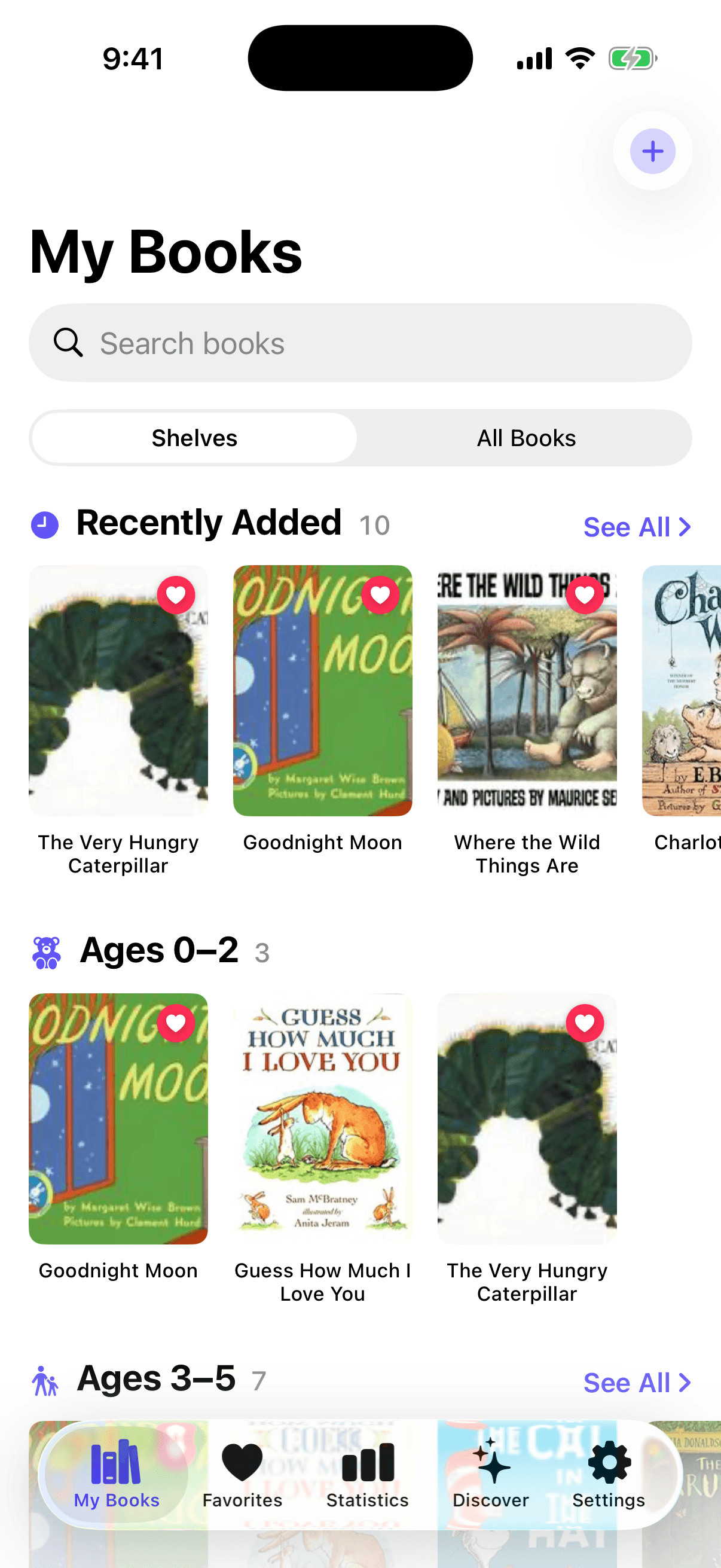
As your collection grows, MyLittleShelf groups books into beautiful, browsable shelves — automatically. No tagging, no folders, no fuss.
- Recently Added
- Favorites
- By Series
- By Age Range
- By Category
- By Language
Shelves appear automatically once your library has 15+ books — and reshape themselves as your collection evolves.
See It In Action
A beautiful, intuitive interface designed for busy parents.
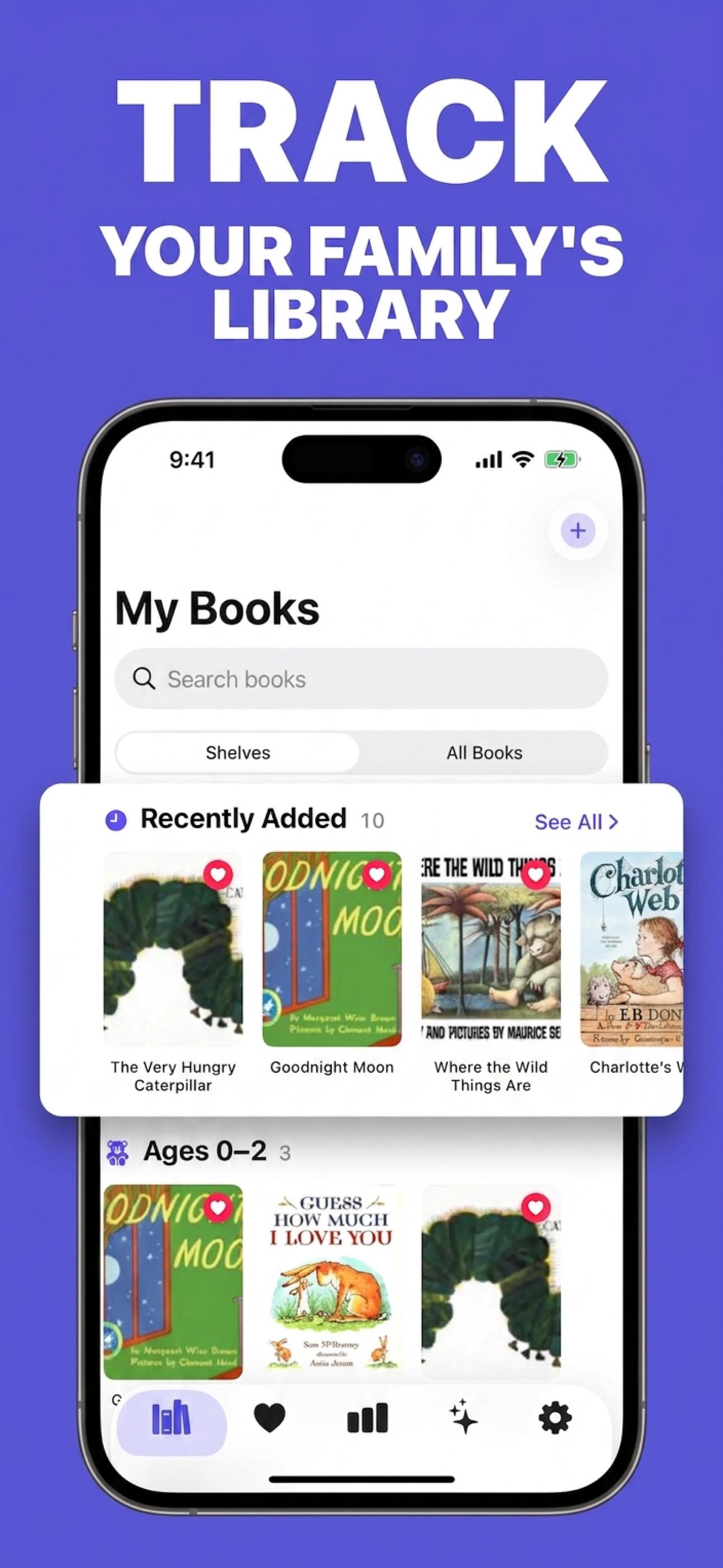
Track Library
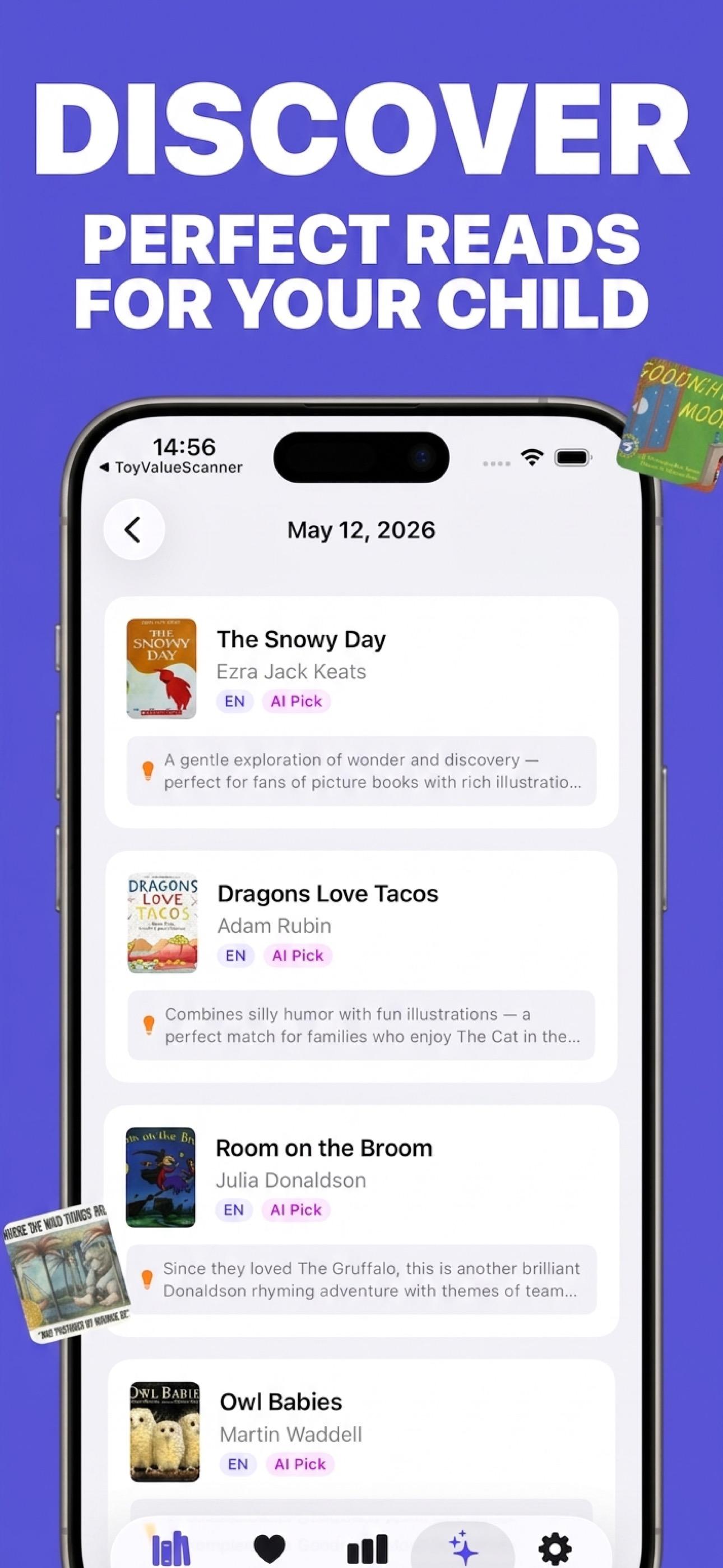
Discover Books
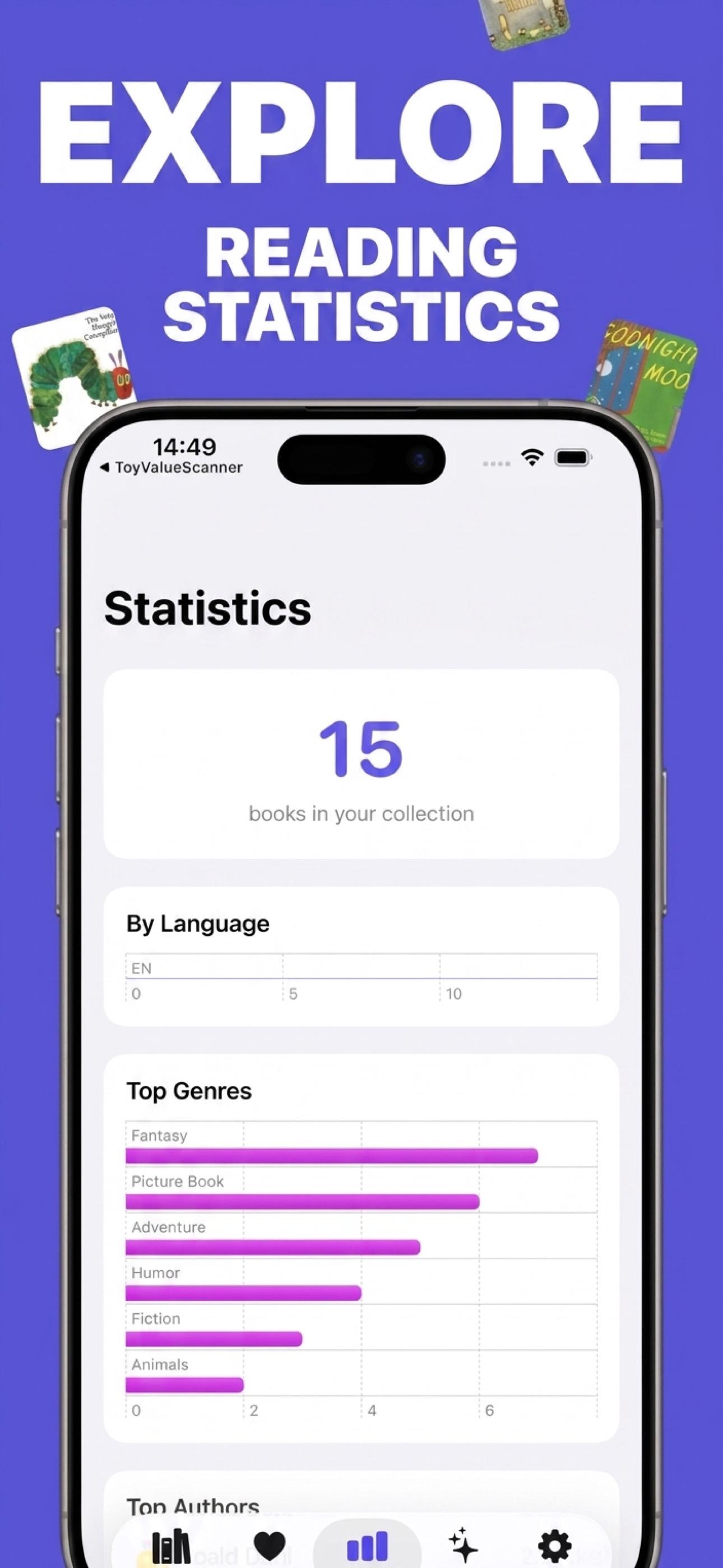
View Statistics
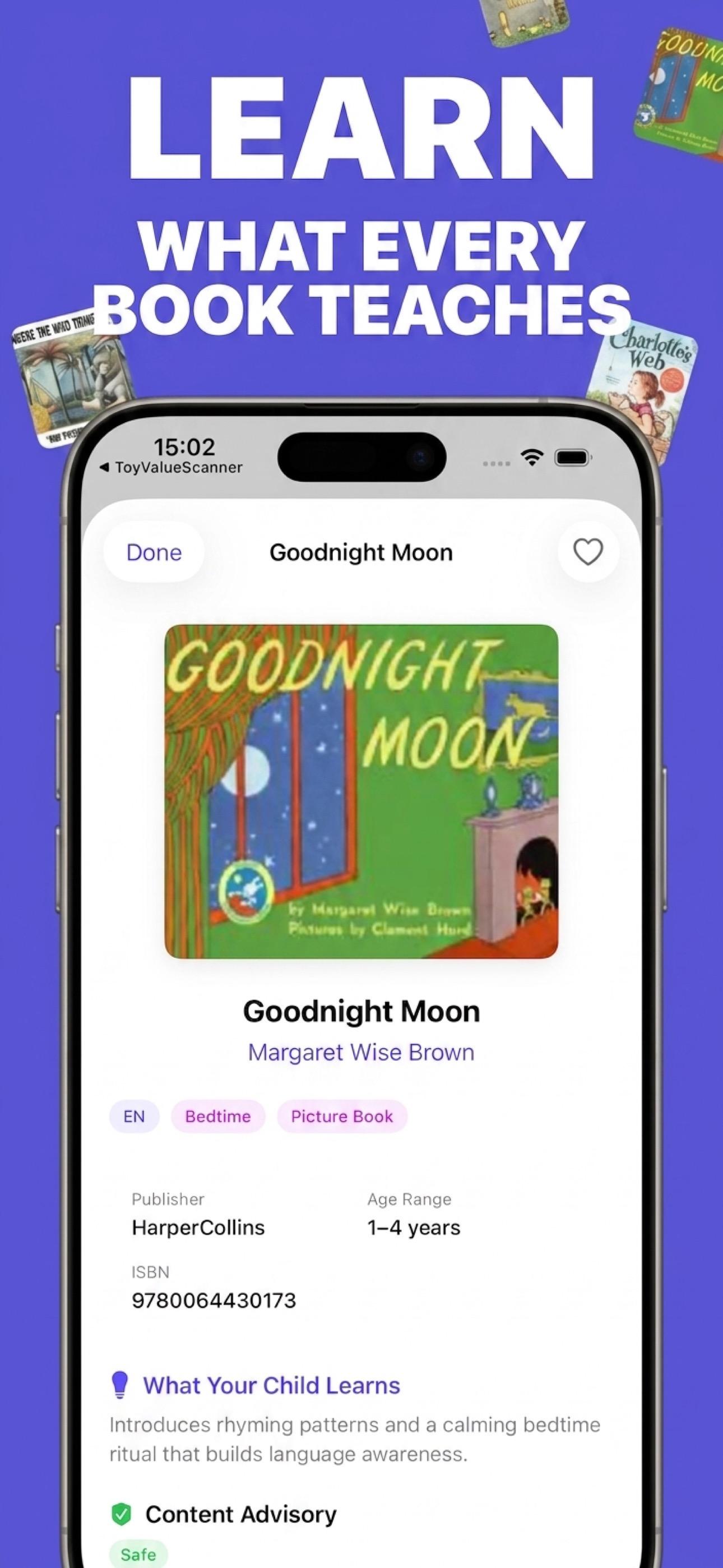
Learn More
How It Works
Build your family's library in three simple steps.
Scan Covers
Point your camera at book covers. Scan one or many — the AI handles everything.
Review & Add
The AI identifies each book with title, author, age range, and educational value. As your library grows, it auto-organizes into smart shelves.
Get Recommendations
Set your child's age and get personalized AI suggestions based on what your family already loves.
A practical family workflow
Build a family library from book-cover scans
Start with the books already on your shelf. A useful catalog makes it easier to remember what you own, find a familiar favorite and choose the next book without relying on memory at the bookstore. MyLittleShelf uses cover scans to help identify books; review the result before treating it as the record for a particular edition.
1. Give the scanner a clear cover
Lay the book where the title and author are readable. Keep the cover in frame, move away from reflections and avoid covering the text with your hand. Bulk scanning can process several cover captures in one session; check each returned result rather than assuming every title matched.
2. Check the title, language and edition
Compare the title and author with the physical book. A translation, abridged edition or another volume in a series can look similar. Check the publisher and ISBN when available. Before buying a copy, search the family library for the title and series so a similar-looking cover does not hide a book you already own.
3. Use age recommendations as a starting point
Look at a suggestion’s reason alongside your child’s interests and books you have enjoyed together. An age range is a guide, not a reading assessment. Preview a few pages and review the themes yourself; an AI-generated content advisory cannot guarantee that a book suits every child or family.
As the collection grows, Smart Shelves group books by areas such as series, age range, category and language. Favorites help describe what your family enjoys. Revisit recommendations when those interests change, and keep reading choices grounded in the actual book rather than a cover image alone.
Choose what to read together this week
Open My Books and ask your child to pick a book to read together. If they want to hear it again, open the book's details and tap the heart. The next time you're choosing a story, look in Favorites to find it again. When you want something new, open Discover and request suggestions for your child's age.
FAQ
How does MyLittleShelf scan book covers?
MyLittleShelf uses Apple's document scanner combined with AI vision to identify book covers. Simply point your camera at a book cover, and the AI extracts the title, author, age range, and educational value automatically.
How does the AI recommendation work?
MyLittleShelf analyzes your family's collection and favorites, then uses AI to suggest new books tailored to your child's age and reading preferences. Each recommendation includes a personalized reason explaining why your family would love it.
Can I scan multiple books at once?
Yes! MyLittleShelf supports bulk scanning. Scan multiple book covers in one session, and the AI processes them all in parallel. You'll see results appear one by one as each book is identified.
What information does MyLittleShelf provide about each book?
For each book, MyLittleShelf shows the title, authors, publisher, ISBN, age range, genre categories, educational value (what your child learns), and a content advisory rating so parents can make informed choices.
How does MyLittleShelf organize my book collection?
MyLittleShelf automatically organizes your library into Smart Shelves once you have 15 or more books. Books are grouped by Recently Added, Favorites, series, age range, category, and language — with no manual tagging required. The shelves reshape themselves as your collection grows and you favorite, add, or remove books.

Start Your Family's Reading Journey
Download MyLittleShelf and let AI help you build the perfect library for your little readers.
Requires iOS 17.0 or later. Free to download.